


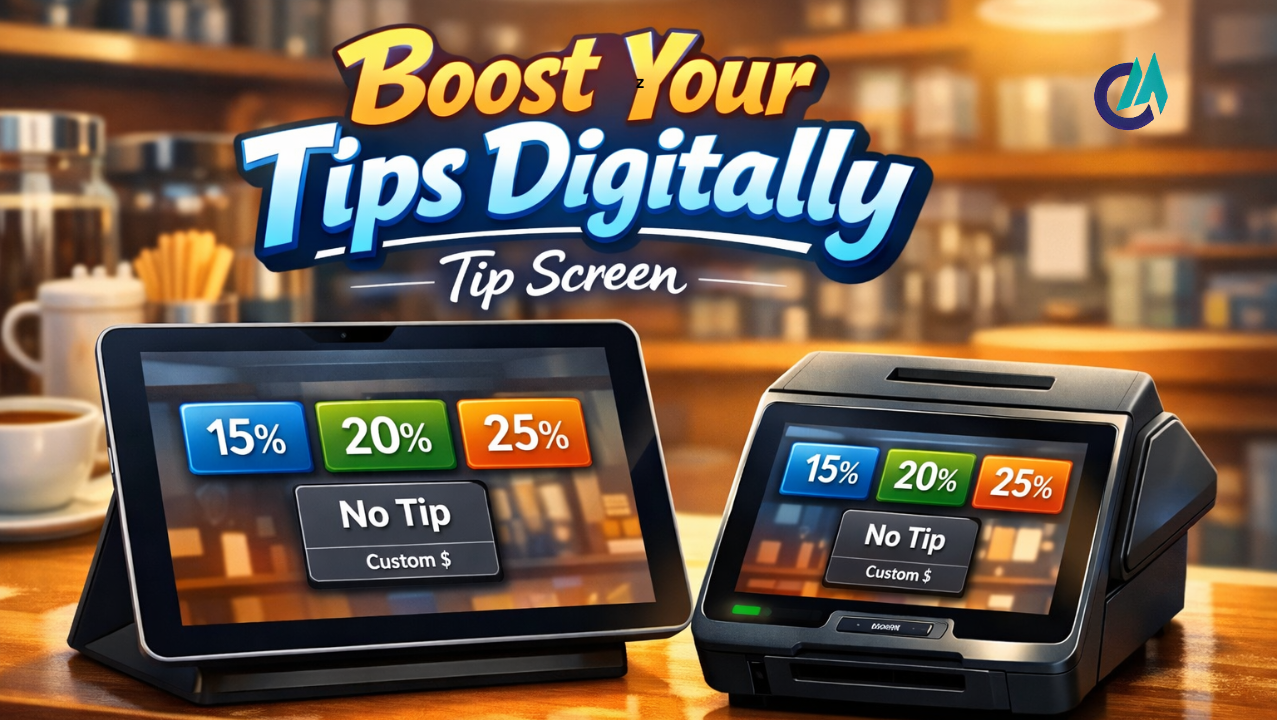
With digital payments now a part of everyday life, tip screens have quietly become everywhere. Whether you’re paying at a café, hailing a ride, or completing a purchase at a store, you’ve likely seen a prompt asking if you’d like to leave a tip. These prompts — whether appearing on a Square terminal at a busy register, an iPad at your favorite coffee spot, or even circulating online as humorous tip-screen memes — do more than collect extra money. They’ve subtly shaped how we think about tipping, affected customer behavior, and even sparked playful commentary online. In this guide, we’ll dive into everything you need to know about tip screens, from designing effective tip screen images and exploring popular memes to setting up a tip screen on an iPad or Square device.
What Is a Tip Screen and Why Does It Matter
A tip screen is a simple digital prompt that asks customers whether they’d like to add a gratuity, typically calculated as a percentage of their total purchase, before completing payment. You’ll often see these on point-of-sale systems, tablets such as iPads, or other modern payment terminals. Rather than relying on the old-fashioned tip jar on the counter, businesses now use these screens to make tipping quick, convenient, and an integrated part of the checkout experience.
Tip screens usually offer customers a few preset options—such as 15%, 20%, or 25%—and often include a “No Tip” button or a custom amount option. This design makes it quick and convenient to leave a gratuity without needing cash or doing any mental math. At the same time, it raises questions about whether these prompts create subtle social pressure and whether tipping is becoming expected in places where it wasn’t traditionally common.
Tip Screen Variants: Square, iPad, and Beyond
Square Tip Screen
The Square Tip Screen has become one of the most widely used digital tipping tools worldwide. Square, a popular payment processing and POS system, is used by a wide range of small businesses, from bustling food trucks to cozy cafés. When a customer pays with a credit card or mobile wallet, Square prompts them with tipping options before the transaction is finalized, making tipping an integrated part of the checkout process.
Square gives businesses a range of ways to handle tipping. Customers might see preset percentages, a field to enter a custom amount, or suggested tip options based on the purchase. Business owners can easily adjust these settings in the Square Dashboard to control how and when tipping prompts are shown to their customers.
iPad Tip Screen
An iPad tip screen is a tipping prompt displayed on an iPad when it’s used as a point-of-sale system. Many retail and service businesses have begun using iPads at checkout because they’re portable and offer a straightforward, visually appealing interface. On these devices, the tipping screen typically occupies a large portion of the display, prompting customers to select a tip amount before completing their payment.
The iPad tip screen has become so familiar in everyday life that it has even sparked its own internet meme. People often share jokes and images online, highlighting awkward or humorous moments that can arise from deciding whether to tip on an iPad at checkout.
Leave a Tip Screen
A leave-a-tip screen is any point in the payment process where the customer is prompted to add a gratuity. Some systems show this option before the payment is completed, while others display it afterward. Regardless of timing, the purpose is the same: to encourage tipping. These digital prompts can be integrated into kiosks, mobile apps, or custom POS systems, making tipping a seamless, standard part of the transaction experience.
Tip Screen Images: Documentation and Discussion
Tip screen images are simply photos or screenshots of digital tipping prompts. They’ve gained popularity online for several reasons. These images illustrate how different businesses present tipping options, highlight the visual design of these prompts, and sometimes draw attention to trends such as “tip fatigue,” where customers feel overwhelmed by constant requests to tip, even on small purchases.
Tip screen images frequently circulate on social media and online forums, often sparking conversations about whether tipping has become too pervasive or even pushy. For instance, some exaggerated tip prompts at convenience stores or self-checkout stations catch people’s attention and become talking points about how tipping culture is evolving.
The Rise of Tip Screen Memes
As digital tipping became more widespread, it also became a source of humor online. A well-known example is the iPad tip-screen meme that circulated widely on platforms such as Twitter and Reddit. These memes often show a barista or cashier looking on as a customer deliberates over whether to leave a tip on the iPad. The joke usually comes from the awkwardness of the moment, especially when someone taps “No Tip” or hesitates before selecting a percentage.
These memes typically use captioned screenshots or well-known reaction images to highlight how awkward or over-the-top digital tipping prompts can feel. Through humor and exaggeration, they tap into broader conversations about how tipping norms are changing and how people really think about being asked to tip in so many everyday situations.
How to Add a Tip Screen on Square and iPad
If you run a business and want to include a tip screen in your payment process, it’s pretty easy to set one up on both Square devices and iPads used as point-of-sale systems. While the exact steps can vary by platform, the general setup process is similar across platforms.
Adding a Tip Screen on Square
Square makes adding tipping to your checkout process simple and flexible. Through the Square Dashboard, business owners can fine-tune how tipping works, choosing exactly how and when tip options appear during a transaction.
- Turn tipping on or off for individual devices based on where and how payments are processed.
- Automatically adjust suggested tip amounts based on the size of each purchase, so the options feel appropriate for every transaction.
- Choose and fine-tune the preset tip percentages or fixed dollar amounts to align with your business and customer expectations.
- Decide whether the tipping prompt appears before the payment is completed or after the transaction is complete.
Together, these settings let you shape the tip screen experience so it aligns naturally with how your business operates and what your customers are comfortable with.
Adding a Tip Screen on iPad POS Systems
To add a tip screen on an iPad, you’ll usually adjust the tipping or checkout settings within your POS software. Most modern systems include built-in tipping prompts and give you control over how they appear during checkout.
- Select which tip options are displayed to customers at checkout.
- Decide whether the tipping prompt should appear before the payment is completed or after the transaction is processed.
- Control how the tip screen looks and what wording is displayed to customers.
Remember that the exact setup will vary by POS app on the iPad, but almost all major systems offer an option to enable and customize tipping.
Best Practices for Effective Tip Screens
To ensure your tip screen works well and feels comfortable for customers, consider these best practices:
1. Clear and Simple Design
A tip screen that’s too busy can quickly confuse customers. Keep the design simple and easy to read so people can make their selection without hesitation. This includes offering clearly labeled percentage or dollar-amount options and ensuring a “No Tip” option is clearly visible.
2. Customize for Your Business
Since tipping practices vary across industries, it’s a good idea to set default tip percentages that match your field, while still giving customers the option to enter a custom amount.
3. Respect Customer Comfort
While tipping prompts can help boost gratuities, they can sometimes make customers feel pressured. Striking a balance—such as clearly showing a “No Tip” option—can make the experience more comfortable and improve overall customer satisfaction.
Social and Cultural Conversations Around Tip Screens
Tip screens have sparked wider conversations about how tipping is changing in today’s society. Many people appreciate digital tipping for its speed and convenience, but others are frustrated by constant prompts, especially in situations where tipping hasn’t traditionally been expected. Some critics even describe specific digital tip designs as “dark patterns,” noting that higher percentages are highlighted and no-tip options are less obvious, subtly encouraging customers to leave more.
Some critics argue that these design choices can pressure customers to tip even when the service doesn’t necessarily warrant it. On the other hand, supporters point out that digital tipping can help service workers earn more, especially in places where cash tips are less common. Either way, tip screens are changing the way we express gratitude in modern commerce.
Conclusion: The Future of Tip Screens
From the Square tip screens you encounter at your local café to the iPad tip screens that have inspired countless memes online, these prompts have become a key part of the digital checkout experience. They blend technology, psychology, and customer interaction, shaping how gratuity is perceived across industries and cultural contexts. Whether you’re a business owner implementing a tip screen effectively, a designer considering how tipping prompts influence customer behavior, or simply someone interested in tip screen images and memes, understanding these digital tools underscores their growing importance in modern commerce.
As payment technology and customer expectations continue to evolve, tip screens are likely to change as well. One thing is sure, however: they have become a powerful way to influence tipping habits and shape modern tipping culture in the digital age.
Read More: Jayson Tatum Biography: Stats, Age, Height, Wife, Contract, Shoes, Net Worth, Son, Parents & Career Overview.
